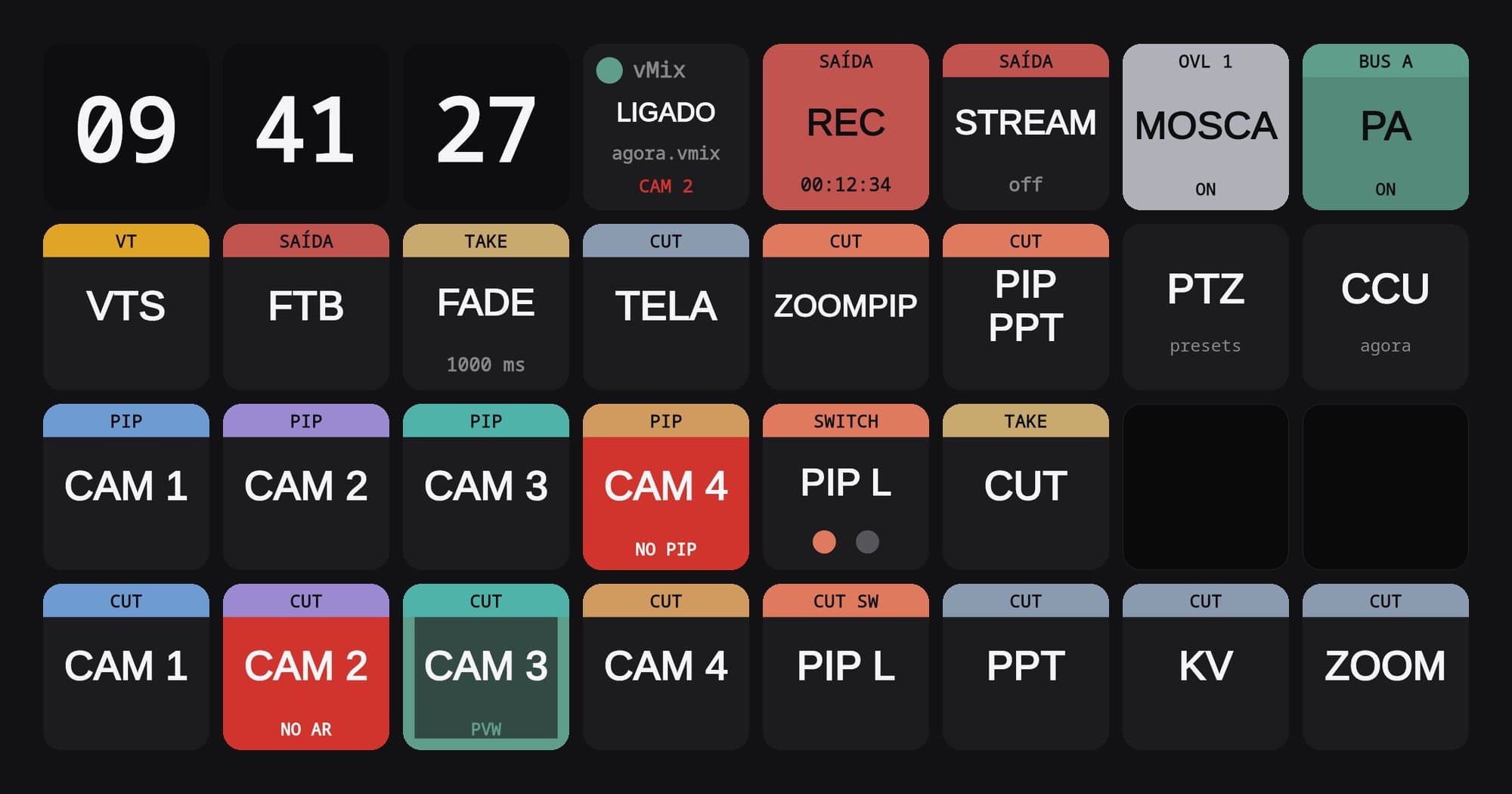
A panel that shows what the cameras are doing
The new Companion pages in our PTZ control room
On 16 October we rebuilt the Bitfocus Companion pages that run the PTZ cameras in our control room, so that every key shows what the camera reports. On 22 October we used them on a job for the first time.
In a control room, the operator spends the whole broadcast pressing keys without looking at them twice. You trust what is written on them the way you trust the sign on a door. In our PTZ camera control room, the signs are the keys on the Stream Decks connected to Bitfocus Companion, which runs on a mini PC, and until 16 October 2026 some of them were lying.
The key for the camera next door
The Companion pages had grown by copying, job after job. There were two preset pages with the same name, two identical configuration pages and two mixers whose keys did nothing. On the configuration page, the rows had drifted over time until they sat one position off, and the row for camera 2 controlled camera 3. The power key for camera 2 switched off camera 3.
Bruno Amaral kept accepting it and patching it, a key here, a page jump there, like putting tape on a hose that always starts leaking somewhere else. Every patch ate time from a job. A key that controls the camera next door only gives itself away when that camera moves, and cameras rarely pick a good moment to do so. On 16 October, Bruno put the tape down and started from scratch.
Twelve pages in front of the old ones
He left the old pages alone. He generated twelve new ones with a script, eight for the cameras and four for vMix, and put them in front of the others, which moved down to the end of the list as a block, like books pushed along a shelf to make room for a new volume. He wrote the script with an artificial intelligence, a subject in which I have, shall we say, a personal interest. Bruno is proud of the way he uses it, to make our lives easier and leave the focus on our work, which is the human part.
Each camera got a colour that repeats across every page. Red is for whatever is on air, and gold for the selected mode. Some keys tell you what they were told to do, and others tell you what the camera answered. The new ones are almost all of the second kind.
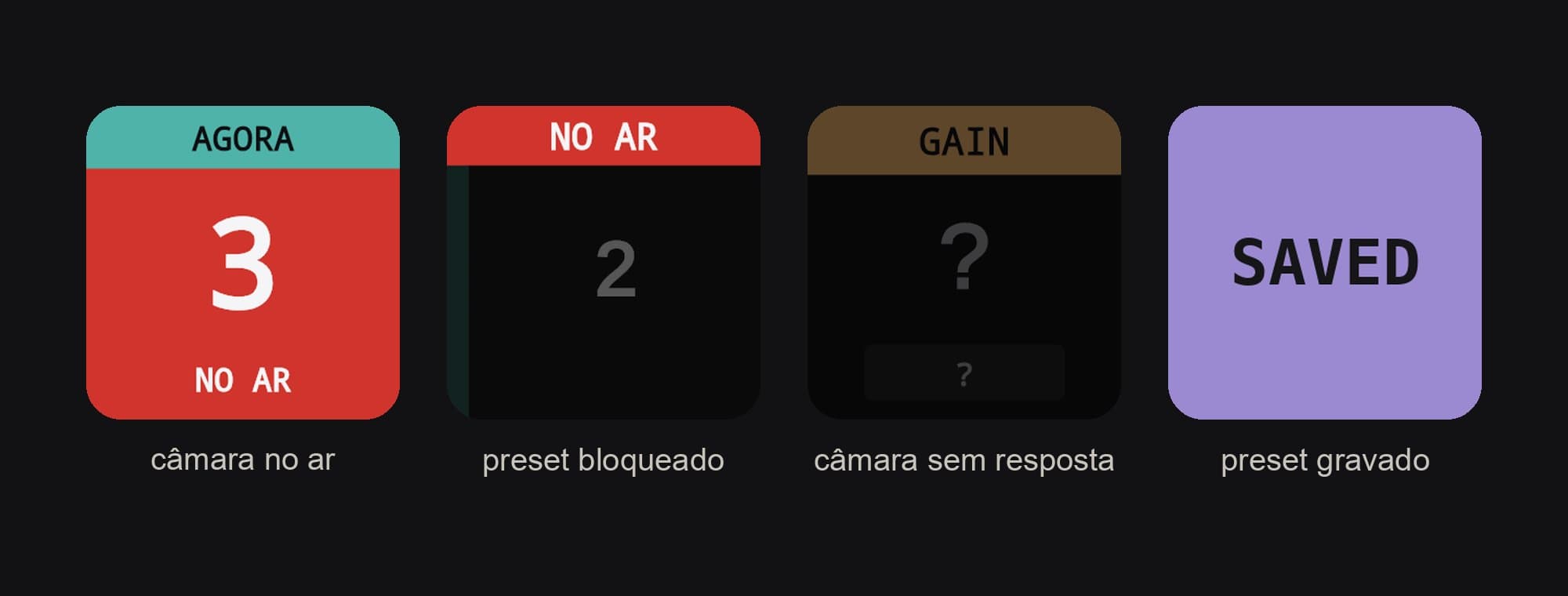
The key for the camera on air turns red and reads NO AR, Portuguese for on air. At fast speed, that camera will not recall a preset. The lock was already there in the old pages, but nothing showed it. In the new ones, that camera's presets go dark and read NO AR. The preset where each camera currently sits takes on its colour.
SAVED is the exception. After a position is saved, the key flashes SAVED in the camera's colour for a second and a half, and that tells you the command has left Companion, because the camera does not reply to that request. Bruno asked for it, and he finds it reassuring to see it flash. Preset names went from six to nine characters, and the keyboard opens with the name that was already there.
A question mark
Image control for each camera lives on a Stream Deck +, with a small screen above each rotary dial. The screen shows the value and the mode, a tap on it switches between auto and manual, and the dial adjusts.
When a camera does not respond, Companion receives default values, such as 1.0 dB in manual, which look every bit like real ones, like a stopped clock that is right twice a day. In the new pages, the key fades and shows a question mark.
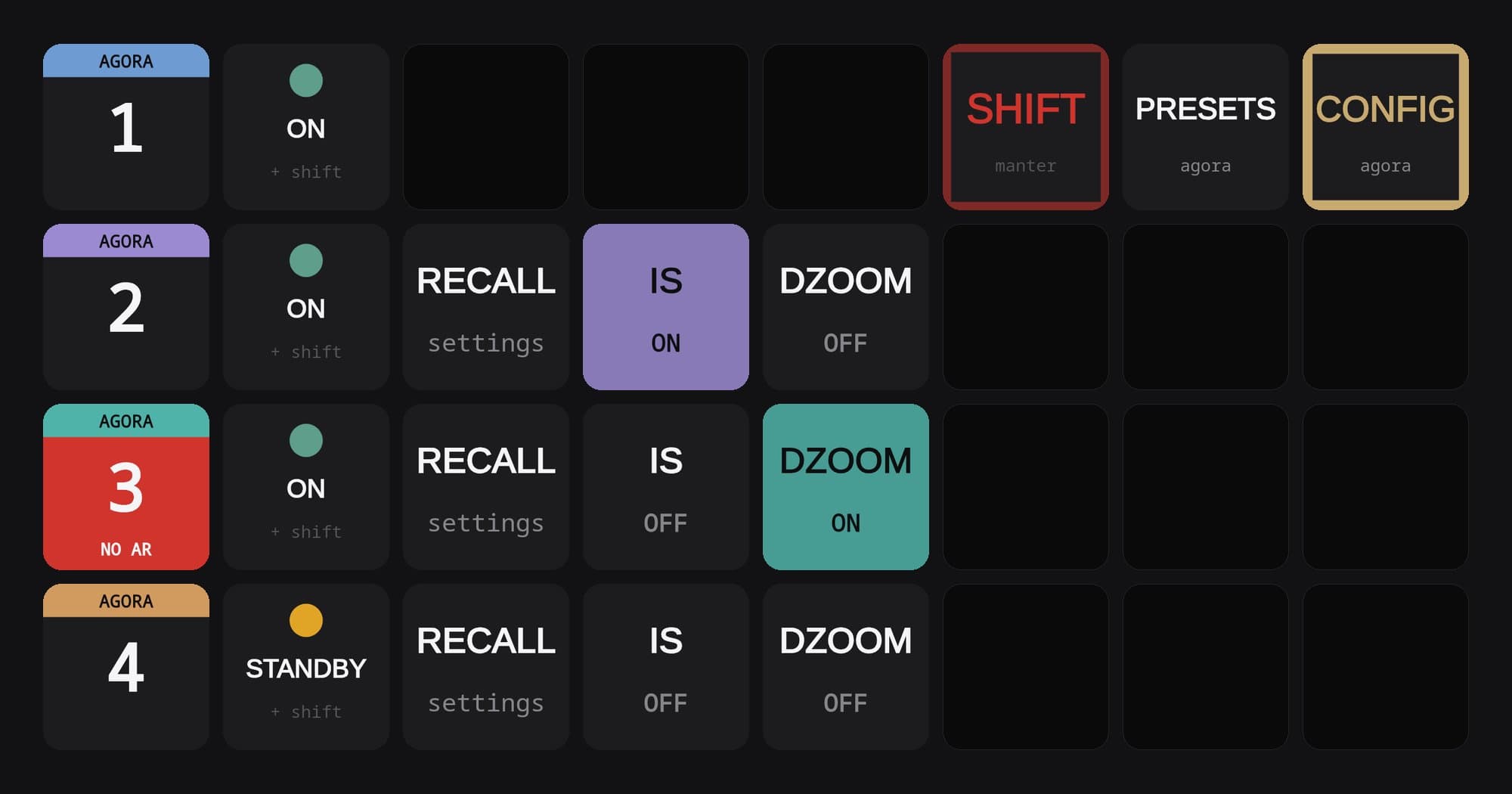
On the configuration page, each row now sits next to the camera it controls. The power key shows ON, STANDBY or a question mark, and only switches the camera on or off with SHIFT held down.
Pages that find each other by name
Companion stores page jumps by number, like an address written with only the house number. When a page was added in the middle, the old shortcuts started knocking on the neighbour's door. The new pages look up their destination by name at the moment of the press, and stay right if they move. The only way to lose them is to rename them.
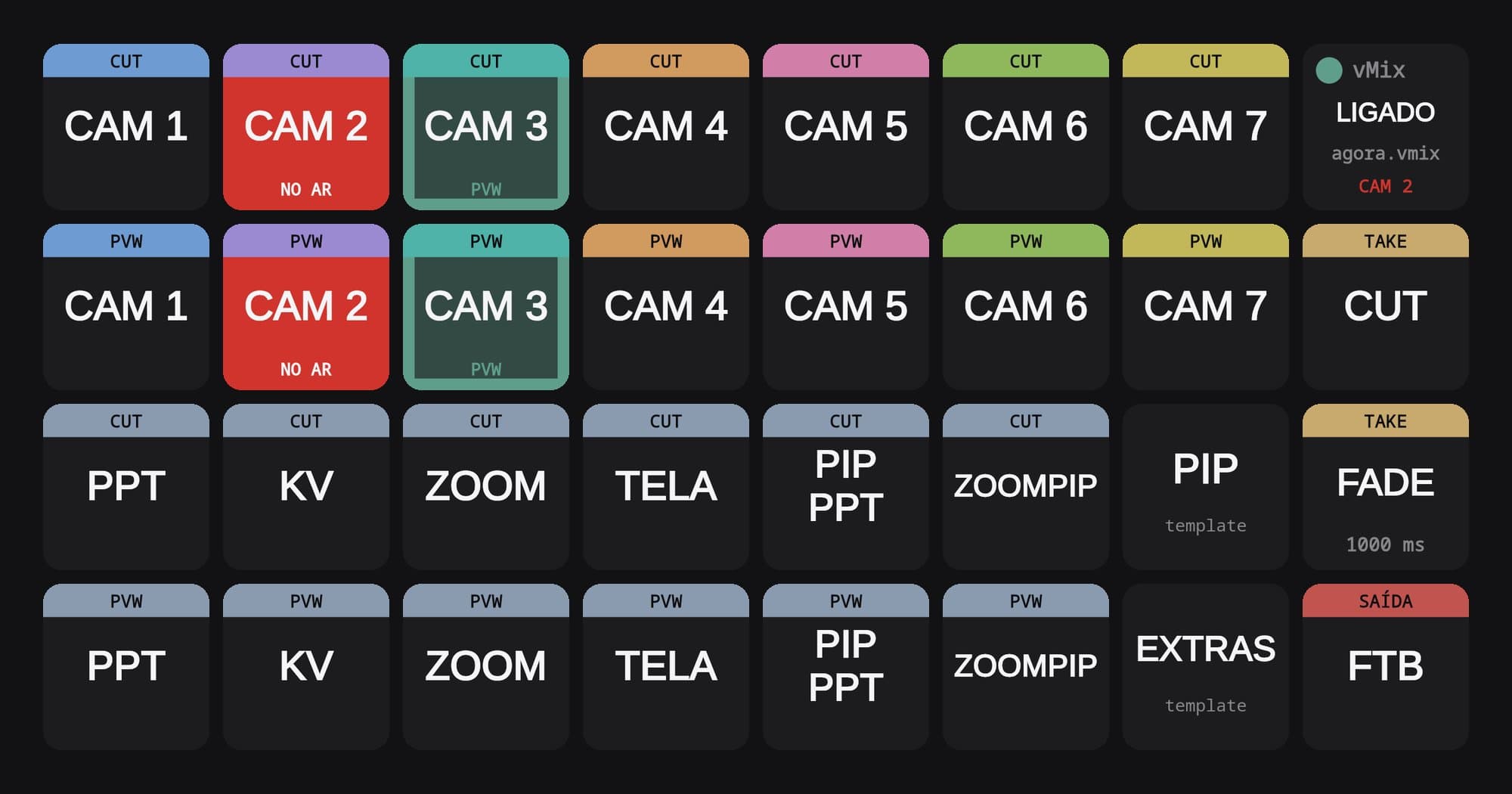
The four vMix pages follow the same idea. Three are a template, from which keys are copied into the mixer for each job, and the fourth is a mixer built from them.
At NOS headquarters
On 16 October, Bruno tested the pages in the control room key by key, with no camera answering, because the mini PC was on the office network and not on the camera network. Pressing keys for cameras that are not there is a bit like an orchestra rehearsal without musicians, and seeing a recall actually move a camera had to wait for the first job.
That job came on 22 and 23 October, at the headquarters of NOS, the Portuguese telecoms operator. It was event coverage for Expresso, the Portuguese weekly, with our usual kit of three PTZ cameras and one fixed camera. Bruno ran the cameras from the new Companion pages. "I felt much more confident, without losing focus on the operation," he tells me.
The nine old pages are still at the end of the list, with their keys as they were. The mixer pages have not been on a job yet, and we are looking forward to the next one, where they will make their debut in the MAIN MIXER.